Products
Positions and claims
Find wallet-linked positions, verify live state, and understand the cost of each action.
On this page
My positions is a discovery workspace for every indexed position where the connected wallet is the creator, beneficiary, or participant: token locks, vesting schedules, payment streams, stake positions, airdrop claims and campaigns, Digital Asset locks, and LP locks.
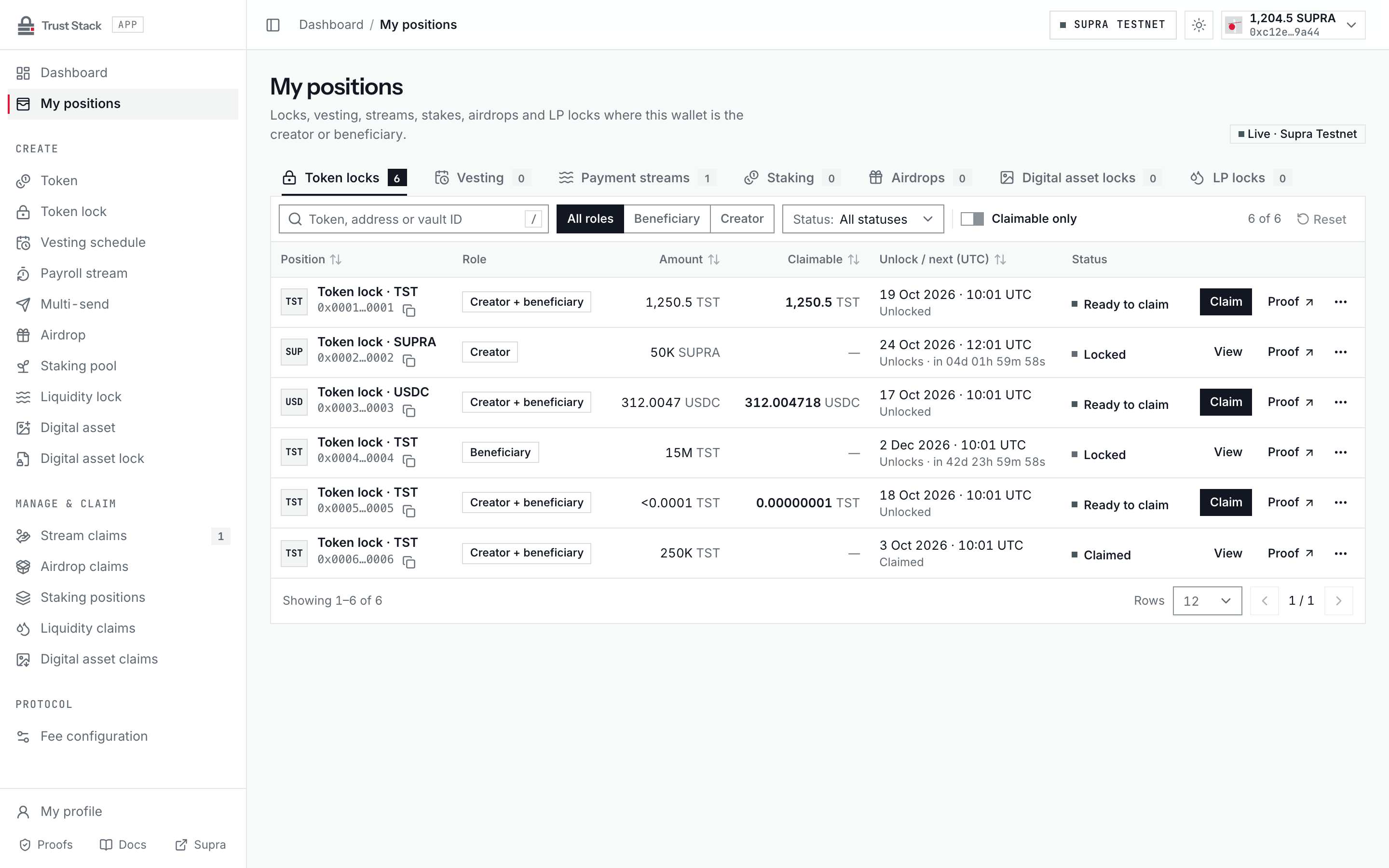
The page does not custody funds and does not decide whether a wallet may claim. Before a transaction, the destination page reads authoritative Move state and recomputes signer eligibility.
Find a position#
- Connect the wallet that created or benefits from the position.
- Open My positions from the dApp sidebar and confirm Supra Testnet is selected.
- Choose a Position type tab: Token locks, Vesting, Payment streams, Staking, Airdrops, Digital asset locks, or LP locks. Each tab shows its position count.
- Narrow the list with the wallet role (All roles, Beneficiary, or Creator; on Airdrops, My claims or My campaigns) and the status filter, such as Locked, Ready to claim, or Claimed for timed locks.
- Search by token, address, or vault ID, or turn on Claimable only. Search and Claimable only apply to the rows on the current page.
- Sort by Position, Amount, Claimable, or Unlock / next (UTC) by selecting the column header, and use Rows per page and the page controls for long lists.
- Use the row action: Claim when value is ready, Manage, Reclaim, or View otherwise, and Proof to open the public proof in a new tab.
- Compare the exact object address with the original transaction and review authoritative on-chain state before signing any action.
Amounts in the table are compacted for overview; the exact value is available on hover or focus and on the claim page. On narrow screens each position is shown as a card with the same fields. The Stream claims, Liquidity claims, and Digital asset claims links in the sidebar show how many of those positions are ready to claim.
Practical example#
Alice is the beneficiary of one fixed token lock and one vesting schedule.
- My positions lists them on the Token locks and Vesting tabs after the indexer processes their creation events.
- Before maturity, the lock row shows the unlock time and no claim action.
- After maturity, she claims the full lock with no protocol claim fee, paying only network gas.
- She then opens vesting, reviews
10,000 EXRgross claimable, a100 EXRprotocol fee at an example 1% snapshotted rate, and9,900 EXRnet before signing.
The two claim flows have different fees even though they appear in the same discovery page.
Fees and costs#
Browsing and filtering positions is read-only: it needs no transaction, protocol fee, or gas. A claim or management action follows the underlying product's rules:
| Underlying action | Trust Stack protocol fee | Other cost |
|---|---|---|
| Fixed token-lock claim | None | Beneficiary pays network gas |
| Vesting claim | Snapshotted rate, at most 1%, of gross released asset | Beneficiary pays network gas |
| Payment-stream claim | None | Beneficiary pays network gas |
| Staking reward claim or withdrawal | None | Participant pays network gas |
| Airdrop claim | None | Recipient pays network gas |
| Digital Asset or LP-lock claim | None | Beneficiary pays network gas |
The product page and final transaction review are authoritative for the exact action. See Fee governance.
Verify before claiming#
Check:
- the complete position object address;
- connected wallet and expected beneficiary;
- token or object identity;
- gross amount, protocol fee, and net amount where applicable;
- maturity, cliff, campaign, or cancellation state;
- prior claims and current expected vault balance; and
- the transaction function and network shown in the wallet.
Never sign only because a position appears in a list. Indexing is a discovery aid, not transaction authorization.
Profile workspace#
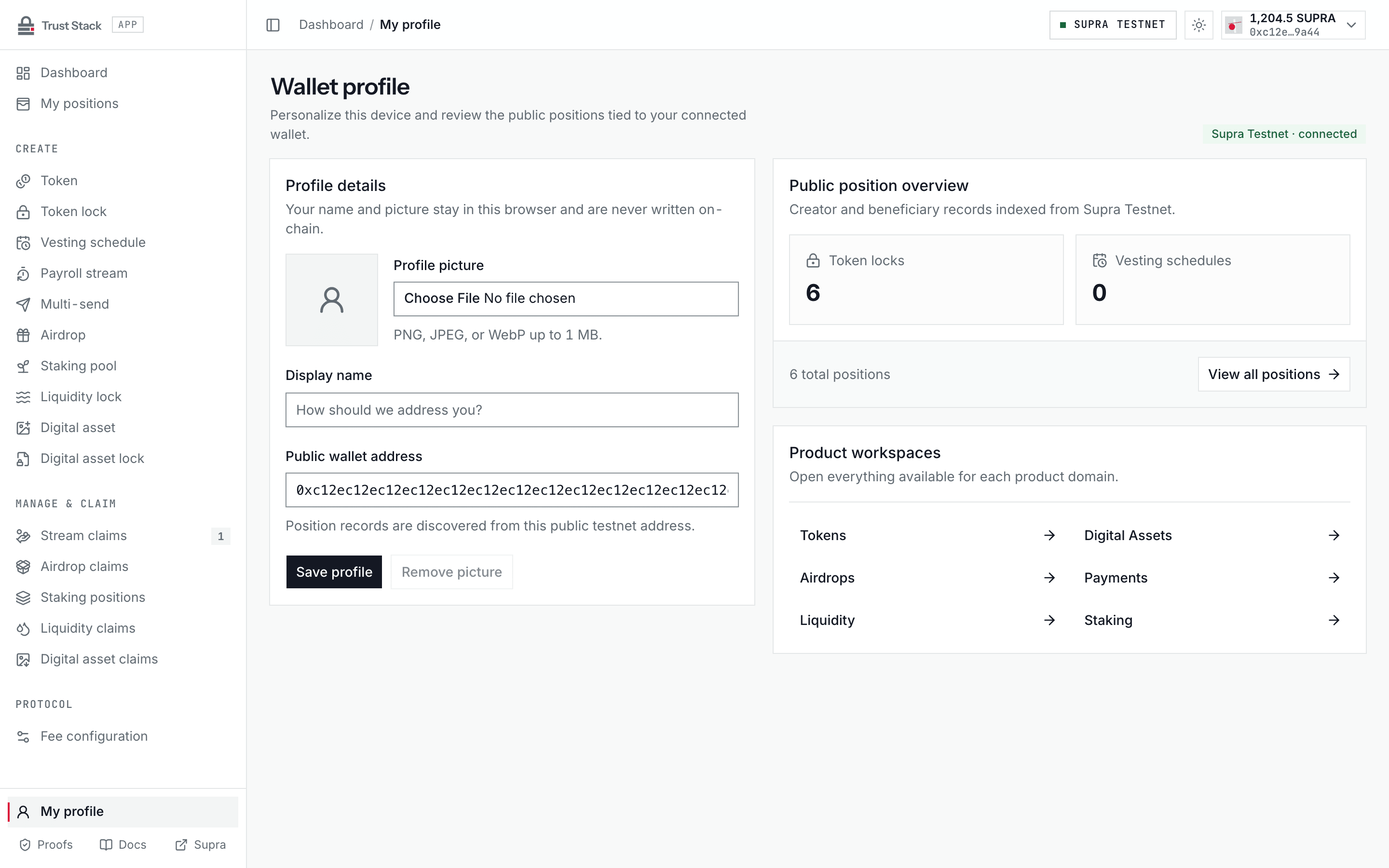
My profile, at the bottom of the dApp sidebar, combines a browser-local display name and profile picture with a public position overview and links to each product workspace. These preferences do not replace the address as on-chain identity, grant account authority, or change fees.
When a position is missing#
- Confirm the same wallet address and Supra Testnet network.
- Open the creation transaction in SupraScan and verify successful finalization.
- Copy the exact emitted object address.
- Refresh after the indexer has processed the block.
- Use the direct management or claim route with the object address if discovery remains delayed.
A missing list item does not prove that creation or a claim failed. Current Move state and the transaction receipt remain the source of truth.
Common problems#
- Wrong role filter: switch between creator and beneficiary, or choose All roles.
- Claim disabled: confirm signer, current chain time, lifecycle state, and remaining claimable value.
- Search finds nothing: search and Claimable only cover only the current page; widen the filters or change page.
- Unexpected fee: open the underlying product page and verify gross, fee, and net before signing.
- Duplicate-looking entries: identify positions by full object address and creation hash.
- Indexer delay: use authoritative direct reads instead of submitting another creation transaction.