Products
Multi-send
Send one Fungible Asset to many recipients in atomic transactions of up to 100 transfers each.
On this page
Multi-send distributes one standard Fungible Asset to a list of recipients. Each on-chain transaction sends at most 100 transfers and is atomic: either every transfer in that transaction succeeds or none of them does. Longer lists are split into consecutive transactions of up to 100 recipients.
When to use it#
Use multi-send when every recipient should receive tokens immediately, for example:
- paying a small group of contributors;
- distributing prizes or community rewards;
- moving treasury allocations to multiple wallets; or
- sending refunds in one transaction.
Use a Merkle airdrop when recipients should claim for themselves, or when one all-or-nothing transaction is required for more than 100 recipients. Use payment streams when value should accrue over time.
Before you start#
You need the token metadata address, recipient addresses, amounts, enough token balance for the complete list, and enough SUPRA for network gas. The contract accepts between 1 and 100 unique recipients per transaction; the dApp accepts up to 10,000 unique rows and plans the transactions.
Prepare data in the supported two-column form. Comma, tab, and semicolon separators are accepted, the
header row is optional, and a .csv, .tsv, or .txt file can be uploaded instead of pasting:
address,amount
0xabc...,125.5
0xdef...,250
Amounts are interpreted using the verified token decimals. Do not include names, emails, or private notes in a file that may be shared.
Send a batch#
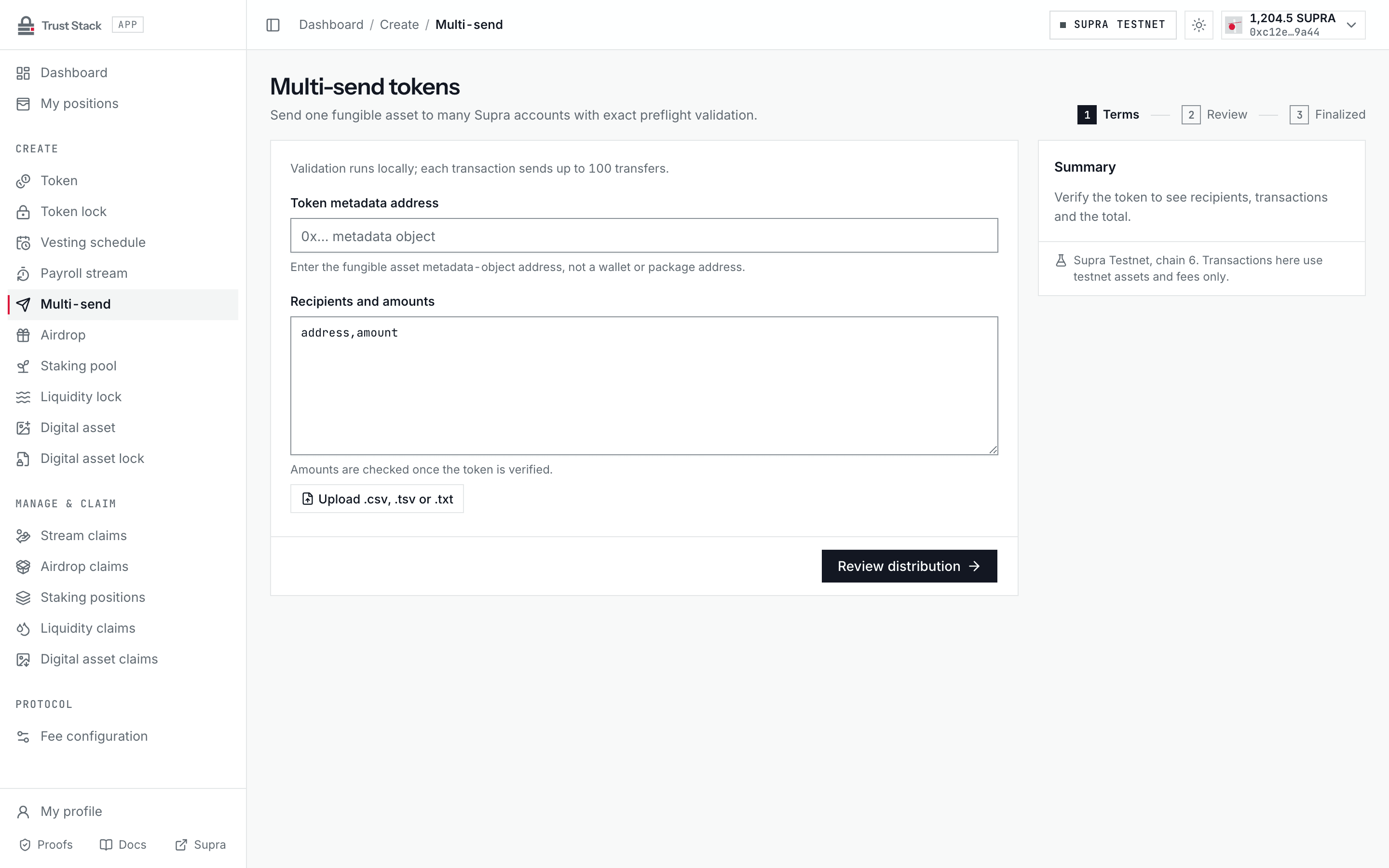
- Open Multi-send (Create > Multi-send in the dApp sidebar) and connect StarKey.
- Enter the Token metadata address and confirm the verified symbol, decimals, and your balance.
- Paste rows into Recipients and amounts or upload a file. Every invalid address, zero address, duplicate, or malformed amount is listed with its line before review; the live summary counts rows, transactions, and the total.
- Select Review distribution and check every canonical address, converted amount, the recipient count, total token amount, and the number of transactions.
- Select Send followed by the transfer count and sign each transaction in StarKey.
- Wait until
BatchSentand everyTransferSentevent match the reviewed list for each transaction. - Save every transaction hash and the final reconciliation result.
The dApp journals confirmed transactions. If one transaction fails or confirmation is interrupted, use Resume transaction or Recheck transaction instead of starting again. Do not retry only because the wallet window closed: first check whether the original transaction finalized, because submitting the same transfers again would pay recipients twice.
Practical example#
A project distributes EXR rewards to three contributors:
| Recipient | Amount |
|---|---|
| Alice | 100 EXR |
| Bob | 200 EXR |
| Carol | 300 EXR |
The wallet must hold at least 600 EXR. One successful transaction transfers all three amounts. If
Bob's row is invalid or the sender has only 599 EXR, the entire transaction aborts and Alice and
Carol are not partially paid.
Fees and costs#
| Action | Trust Stack protocol fee | Who pays | Other cost |
|---|---|---|---|
| Send one batch | None | Nobody | Sender pays Supra network gas and the full token total |
| Receive tokens | None | Recipient | None |
| Review or reconcile | None | Nobody | None |
Larger batches can require more gas than a simple transfer. A list above 100 recipients is split into multiple transactions, and each transaction has its own gas cost, wallet approval, and atomic boundary: an earlier transaction stays final if a later one fails. Trust Stack does not deduct a percentage or fixed fee from recipients. See Fee governance.
Validation rules#
- 1 to 100 recipients per transaction; up to 10,000 rows per list in the dApp
- recipient and amount arrays must have equal length
- no zero address, zero amount, or duplicate recipient
- the aggregate base-unit amount must fit a Move
u64 - the sender must have enough live balance for the complete batch
- dispatchable Fungible Assets are rejected
Dispatchable assets can execute custom transfer behavior that breaks simple conservation assumptions. They are intentionally outside this product.
What recipients need to do#
Nothing. Multi-send deposits tokens directly into each recipient's primary Fungible Asset store. Recipients do not claim and do not pay gas. They should verify the token by metadata address and the transfer through the transaction hash.
Common problems#
- Duplicate recipient: combine that wallet's amounts into one row.
- Too many recipients: keep the list within 10,000 rows; each transaction carries at most 100.
- Balance changed after review: refresh and review again before signing.
- Amount has too many decimals: use no more fractional digits than the token supports.
- Dispatchable asset rejected: use a standard, non-dispatchable Fungible Asset.
- Uncertain submission: reconcile the transaction hash before retrying.