Products
Digital Asset locks
Hold one standard Supra Digital Asset for one beneficiary until an immutable time.
On this page
A Digital Asset lock transfers one standard object into a dedicated untransferable vault. The chosen beneficiary may release that exact object only at or after the immutable UTC unlock time. The lock accepts only Digital Assets created by the Digital Asset factory of the same Trust Stack package, which carry an unforgeable provenance marker.
When to use it#
Use this product when one specific Digital Asset object—not a fungible token amount—must remain in vault custody until a public date. Examples include delayed delivery of a collectible, certificate, or one-of-one project asset.
Use token locks for Fungible Assets and liquidity locks for typed Dexlyn LP Coins.
Before you start#
You need the Digital Asset object address, current ownership, final beneficiary, future UTC unlock time, and SUPRA for network gas. The object must be a Digital Asset created by the active package's Digital Asset factory, and ordinary ungated transfer must currently be permitted. Other standard Digital Assets, including objects created by the factory of a retained claim-only package, are rejected.
Verify the complete object address, collection, name, media, transferability, and any issuer-retained framework capabilities before locking it.
Create a lock#
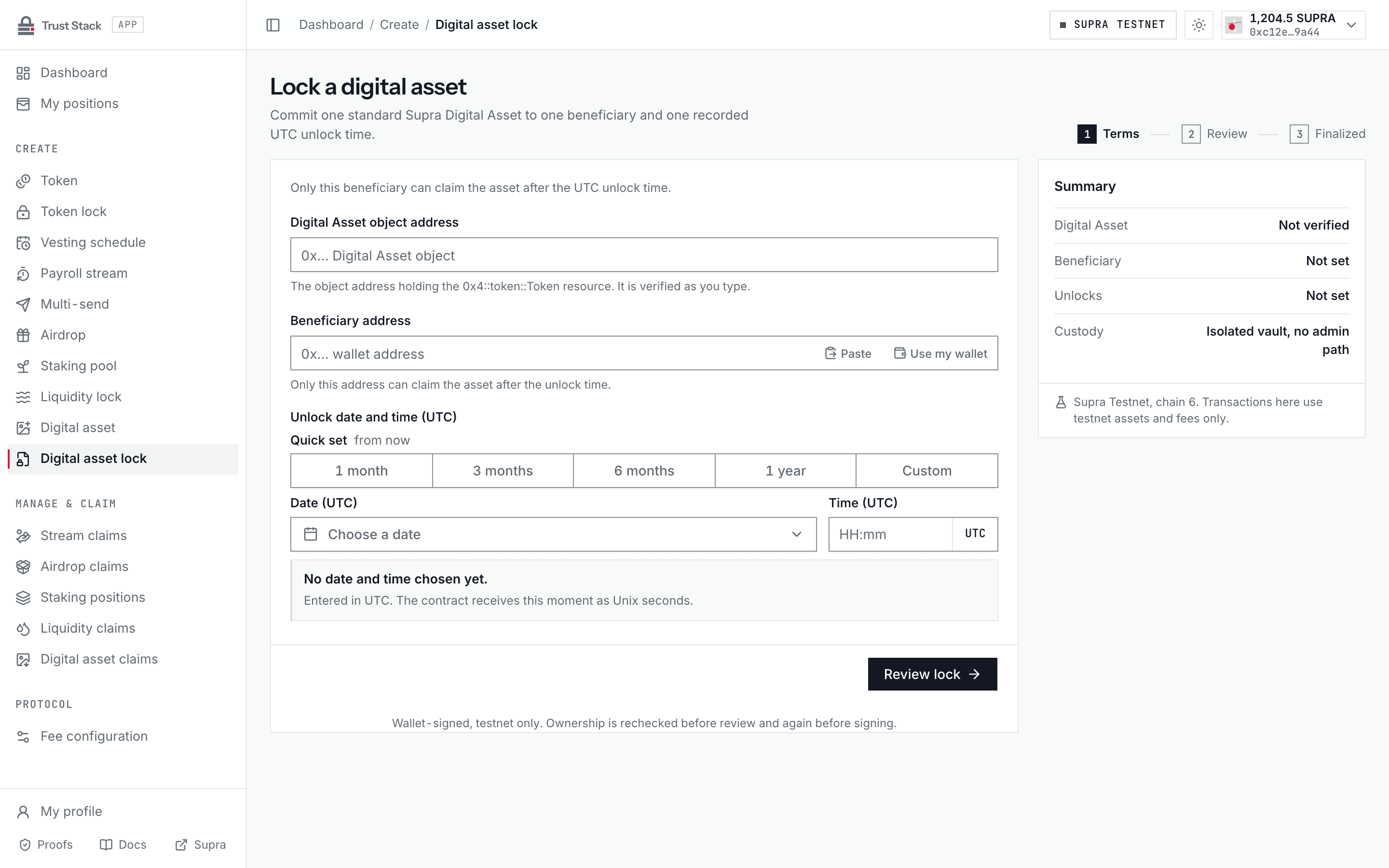
- Open Create Digital Asset lock (Create > Digital asset lock in the dApp sidebar) and connect StarKey.
- Enter the Digital Asset object address and let the dApp verify it on Supra.
- Confirm its standard type, current owner, transferability, collection, name, and media.
- Enter the immutable Beneficiary address and set Unlock date and time (UTC) with the UTC date-time picker. The unlock time must be at least two minutes ahead.
- Select Review lock and check the Digital Asset, beneficiary, unlock time, current owner, transfer policy, and issuer capability notice.
- Select Lock digital asset and sign the lock transaction.
- Wait for the matching
DigitalAssetLockedevent and save the vault object address and transaction hash.
The connected creator must own the asset. Vault creation and transfer of the object into custody happen in the same transaction.
Practical example#
Alice owns Digital Asset object 0xabc... representing Launch Badge #1. She locks it for Bob
until 1 January 2028.
- The specific object
0xabc...moves into the new lock vault. - Alice pays network gas but no Trust Stack protocol fee.
- Alice cannot use the lock module to release it early or change Bob.
- At maturity, Bob signs the release, pays network gas, and becomes the object's owner.
The lock applies to that exact object address. Another object with the same name or media is not the same asset.
Fees and costs#
| Action | Trust Stack protocol fee | Who pays | Other cost |
|---|---|---|---|
| Create Digital Asset lock | None | Nobody | Creator pays Supra network gas |
| Release matured asset | None | Beneficiary | Supra network gas |
| Verify lock and ownership | None | Nobody | None |
There is no fixed creation charge and no percentage deducted from the object. Digital Assets are non-fungible objects, so there is no token amount to reduce. See Fee governance.
Verify and release#
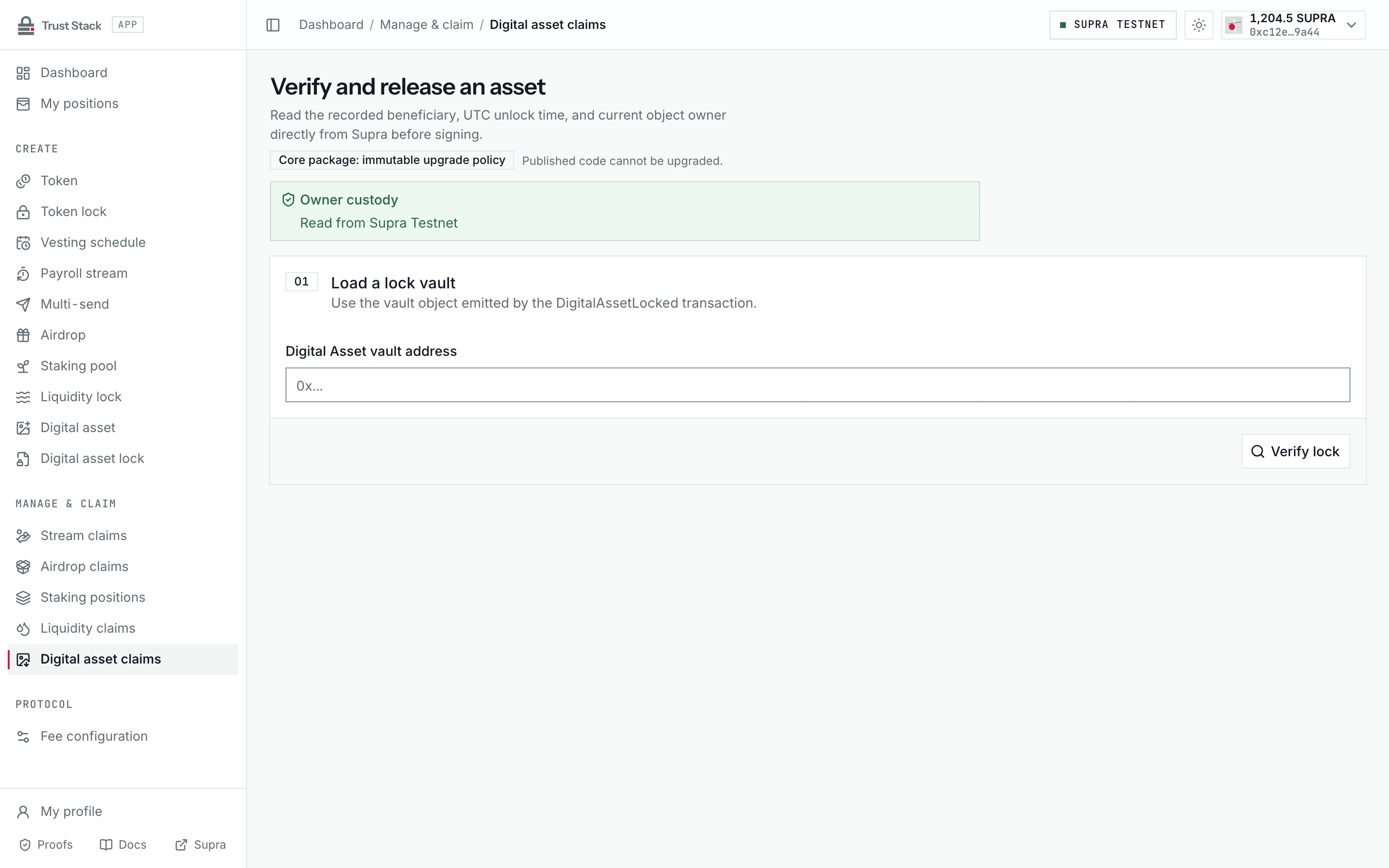
- Open Manage Digital Asset lock (Manage & claim > Digital asset claims in the dApp sidebar).
- Enter the Digital Asset vault address and load authoritative on-chain state.
- Confirm the current owner, beneficiary, creator, unlock time, vault custody, and factory origin.
- Connect the beneficiary wallet after maturity.
- Select Claim digital asset, sign in StarKey, and wait for the matching event.
- Confirm the lock is terminal, the vault no longer owns the object, and the beneficiary does.
The action remains unavailable for another wallet, before maturity, or after release.
What the lock guarantees#
- Only a factory-created Digital Asset is accepted.
- One exact standard object is placed in isolated vault custody.
- Beneficiary and unlock time are immutable.
- Ordinary release through the lock is beneficiary-only and time-gated.
- The post-transaction check verifies final beneficiary ownership.
- A lock cannot release two objects or be claimed twice.
Important issuer boundary#
The Trust Stack Digital Asset factory retains no issuer transfer reference, mutator, or burn reference, which is why the lock accepts only factory-created assets. Trust Stack verifies ordinary vault custody and detects custody loss, but it cannot prove properties of framework capabilities outside its own modules; the review screen states this boundary before signing.
Common problems#
- Object not recognized: verify the full address and that the factory of the active package created it.
- Creator is not owner: connect the wallet shown by the current authoritative owner read.
- Transfer gated: the lock accepts only ordinary transferable objects.
- Release unavailable: confirm the beneficiary wallet and on-chain unlock timestamp.
- Same media, different object: always use the exact object address as identity.