
Token locks
Lock one Fungible Asset allocation until a fixed time, with exact fees and claim instructions.
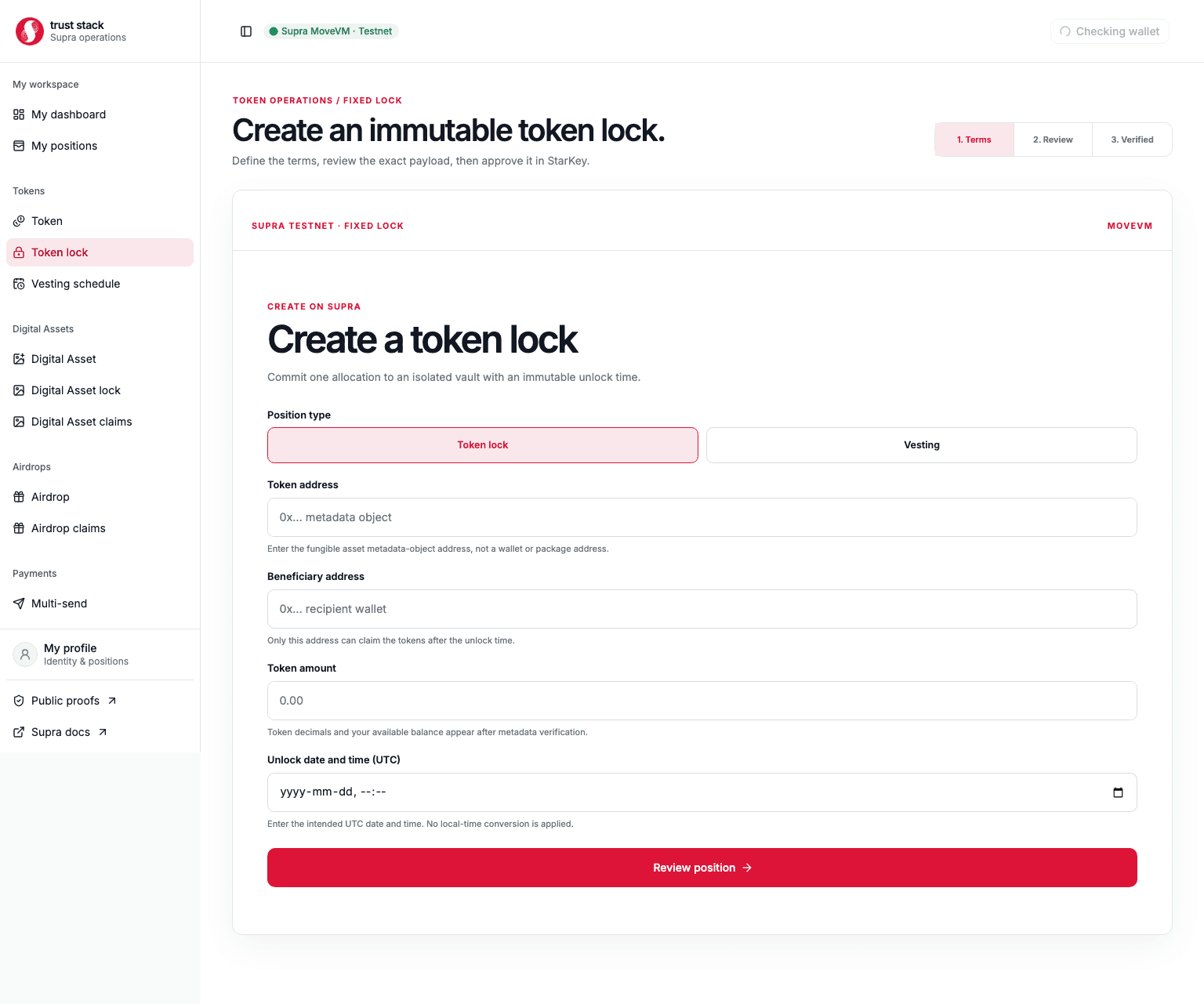
A fixed token lock moves one exact Fungible Asset allocation into its own untransferable vault. The beneficiary is chosen at creation and may claim the complete allocation only at or after the immutable UTC unlock time.
When to use it
Use a fixed lock for a one-time release date, such as:
- a team allocation that becomes available on a specific date;
- a treasury or community allocation with a public maturity time;
- a token commitment where partial claims are not required; or
- a simple beneficiary lock without creator cancellation.
For gradual release, use vesting. For continuous payroll accrual, use payment streams.
Before you start
The creator needs:
- the token's Fungible Asset metadata address;
- enough token balance to fund the entire lock;
- the final beneficiary address and future UTC unlock time; and
- 50 SUPRA plus network gas.
Verify the token's symbol, decimals, issuer capabilities, and metadata address. Names and symbols are not unique identifiers.
Create a lock
- Open Create token lock.
- Enter the Fungible Asset metadata address and select Token details.
- Confirm the token identity, decimals, admission status, and your live balance.
- Enter the amount, beneficiary, and UTC unlock time.
- Review the display amount, exact base units, beneficiary, network, immutable terms, and live fee.
- Sign the transaction in StarKey.
- Wait for the matching
LockCreatedevent and save the lock object address, transaction hash, and public-proof link.
Funding and lock creation are atomic. A successful transaction withdraws the tokens and deposits them into the new lock vault; it cannot create an unfunded position.
Practical example
Acme locks 100,000 EXR for a contributor until 1 January 2028.
- Acme supplies the full
100,000 EXRwhen the lock is created. - Acme pays the current 50 SUPRA protocol fee plus creation gas.
- Before 1 January 2028, neither Acme nor the contributor can withdraw the allocation.
- At maturity, the contributor signs one claim and receives all
100,000 EXR. - The contributor pays claim gas, but Trust Stack charges no claim fee.
The creator cannot shorten, extend, split, revoke, transfer, or change the beneficiary after creation.
Fees and costs
| Action | Trust Stack protocol fee | Who pays | Other cost |
|---|---|---|---|
| Create fixed token lock | 50 SUPRA | Creator | Full token allocation and Supra network gas |
| Claim matured lock | None | Beneficiary | Supra network gas |
| Read or verify a lock | None | Nobody | None |
| Sweep accidental surplus | None | Transaction signer | Supra network gas |
The 50 SUPRA fee is separate from the locked asset; it does not reduce the beneficiary's token allocation. It is charged only when creation succeeds. An abort rolls back both the vault and protocol fee transfer, although failed transactions may still consume network gas.
The signed transaction includes a maximum acceptable fee. The current schedule is 50 SUPRA under the immutable 10,000 SUPRA cap. Governance may move it within that cap, and an approved governor-multisig change applies when executed. See Fee governance.
Claim a lock
- Connect the beneficiary wallet on Supra Testnet.
- Open My positions or the lock's direct claim link.
- Verify the lock object address, creator, token, amount, beneficiary, and unlock time.
- Wait until the on-chain timestamp reaches the unlock time.
- Sign Claim and wait for the matching
LockClaimedevent. - Confirm the position is terminal, the vault is empty, and the beneficiary balance increased by the exact locked amount.
The dApp disables claiming for the wrong wallet, before maturity, or after the one-time claim has already completed.
What is guaranteed
- Creation and full funding succeed or fail together.
- Only the immutable beneficiary can claim.
- The creator has no early-withdrawal path.
- Every position has an isolated object and vault; user funds are not pooled.
- The claim is one-time and should leave the expected vault balance at zero.
- Accidental surplus cannot be redirected to the creator or an arbitrary caller.
Common problems
- Wrong token displayed: stop and compare the full metadata address.
- Insufficient balance: the creator needs the locked tokens, 50 SUPRA, and gas.
- Claim button disabled: confirm the connected wallet and the on-chain unlock timestamp.
- Position missing: use the saved object address directly; indexer discovery may lag the chain.
- Token has issuer controls: a vault cannot remove mint, freeze, or dispatch capabilities retained by the asset issuer.
Token capabilities remain external
The lock protects the tokens deposited into its vault. It does not prove that the Fungible Asset issuer destroyed unrelated mint, freeze, or dispatch authority. Evaluate those capabilities before relying on the locked allocation.