
Payment streams
Fund continuous payroll or service payments with clear claim, cancellation, and cost rules.
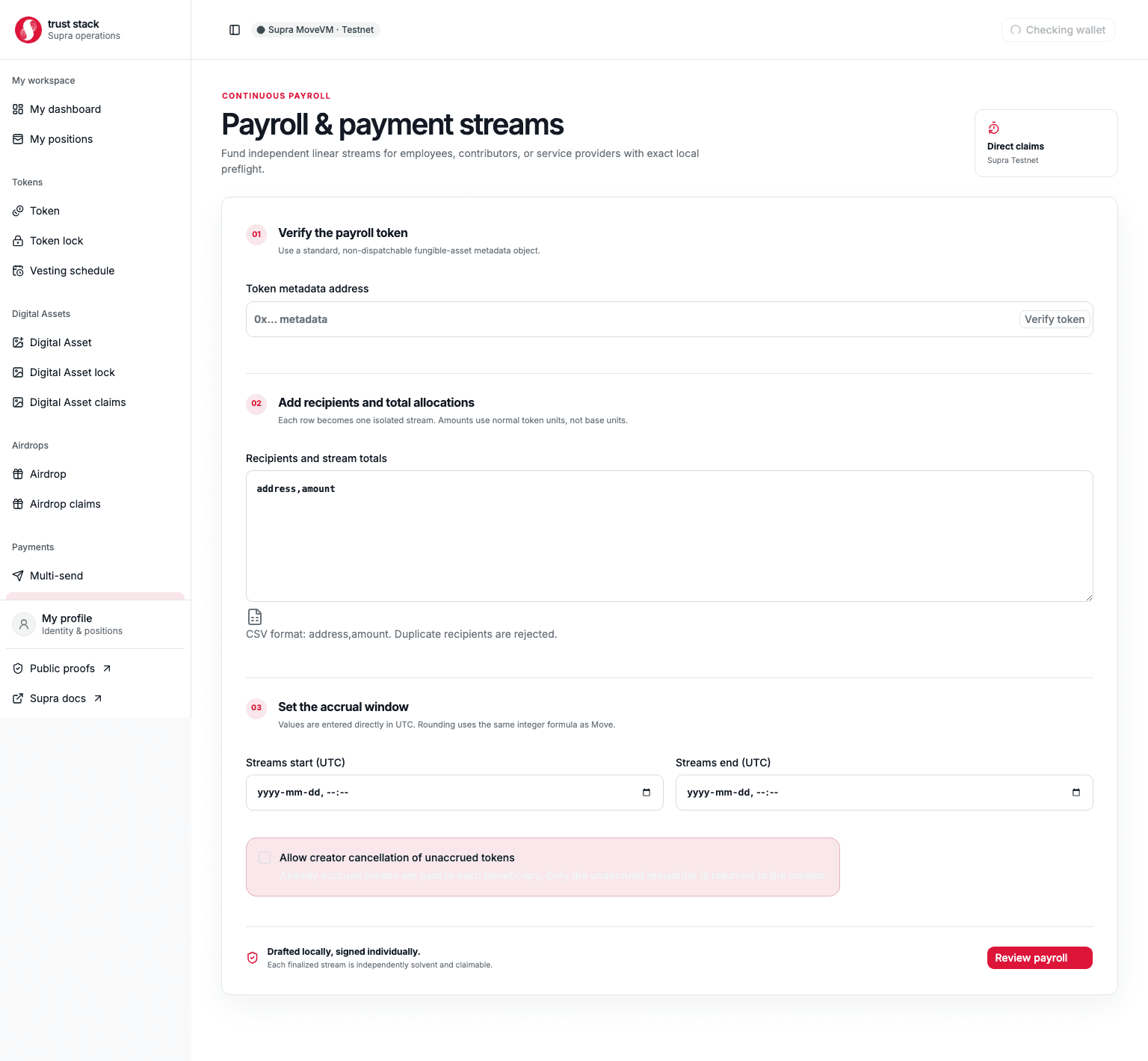
Payment streams lock one recipient's complete allocation at creation and make it claimable linearly between immutable UTC start and end timestamps. Payroll mode creates one independent stream and vault for every employee or service provider.
When to use it
Use payment streams for:
- salaries or contractor payments accruing continuously;
- grants paid over a service period;
- one-recipient agreements with optional creator cancellation; or
- allocations where the recipient should claim accrued value at convenient intervals.
Use multi-send for immediate payment, token locks for one fixed release date, or vesting for cliff and stepped schedules.
Before you start
The creator needs the token metadata address, full stream allocation, recipient address, future UTC start and end times, and enough SUPRA for network gas. Choose the cancellation policy carefully: it cannot be changed after creation.
For payroll, prepare one address,amount row per recipient. Each row becomes a separate transaction,
stream object, and vault—not one pooled payroll contract.
Create a stream or payroll batch
- Open Payroll and payment streams.
- Enter and verify a standard, admitted, non-dispatchable Fungible Asset.
- Add one or more recipient and total-amount rows.
- Set the future start and end timestamps.
- Keep the default non-cancellable policy or explicitly allow creator cancellation.
- Review the total funding, each recipient, linear schedule, cancellation consequences, and costs.
- Sign each stream transaction requested by the wallet.
- Wait for every matching
StreamCreatedevent and save each stream object address and hash.
The dApp journals confirmed payroll transactions. If a later row fails or confirmation is interrupted, it can resume from the unfinished row without recreating already verified streams. Always reconcile hashes before retrying.
Worked stream example
An employer prepares this illustrative stream:
| Field | Example value |
|---|---|
| Token | Example Payroll Token (EXR) |
| Recipient | Alice's Supra wallet address |
| Total allocation | 3,000 EXR |
| Start | Day 0 at 09:00 UTC |
| End | Day 30 at 09:00 UTC |
| Creator cancellation | Enabled |
The full 3,000 EXR enters Alice's isolated stream vault when the creation transaction succeeds.
Tokens do not arrive automatically every second; the claimable amount grows on-chain and Alice
submits a claim when she wants to receive it.
| Time | What happens | Approximate accounting |
|---|---|---|
| Day 0 | Stream starts | 0 EXR claimable |
| Day 10 | Alice claims | 1,000 EXR paid; 2,000 EXR remains accounted in the vault |
| Day 15 | Employer cancels | 500 EXR remains claimable by Alice; 1,500 EXR returns to the employer |
| After cancellation | Alice makes her final claim | 500 EXR paid; accounted vault balance becomes zero |
Actual results use whole token base units and exact on-chain timestamps, so an intermediate value may be slightly lower than the human-readable estimate. Without cancellation, Alice can claim the exact final remainder at day 30, including any integer-rounding dust.
Fees and costs
| Action | Trust Stack protocol fee | Who pays | Other cost |
|---|---|---|---|
| Create one stream | None | Nobody | Creator supplies full allocation and pays network gas |
| Claim accrued value | None | Beneficiary | Supra network gas per claim |
| Cancel a cancellable stream | None | Creator | Supra network gas |
| Sweep accidental surplus | None | Transaction signer | Supra network gas |
| Read a stream | None | Nobody | None |
Payroll with ten recipients creates ten on-chain transactions, so it requires ten separate gas payments and may require ten wallet approvals. Claiming more frequently does not change a protocol fee—there is none—but it does create more network-gas transactions. See Fee governance.
Taxes, withholding, and payroll records
Trust Stack is a token-streaming tool, not a payroll processor or tax service. It does not:
- decide whether a payment is salary, contractor income, a grant, or another legal category;
- calculate income tax, payroll tax, social contributions, VAT, or other withholding;
- distinguish a gross amount from a net amount;
- convert the streamed token amount to a fiat value;
- send withheld value to a tax authority; or
- prepare tax returns, payslips, or regulatory reports.
Whether stream creation, continuous accrual, a claim, or cancellation has a tax consequence depends on the parties, token, agreement, and applicable jurisdiction. Claim time and economic accrual time can also be treated differently. Obtain advice for every jurisdiction involved before funding a production payroll stream.
No automatic tax deduction
A 3,000 EXR stream transfers up to 3,000 EXR to the beneficiary. If an adviser determines that
300 EXR or a fiat equivalent must be withheld, do not assume that creating a 2,700 EXR stream
completes the obligation. Calculate, remit, report, and document any withholding separately under
the applicable rules. Trust Stack does not split a stream between the beneficiary and a tax
authority.
Before creating a payroll stream, decide and document off-chain:
- the worker or supplier classification and governing jurisdiction;
- whether the entered stream amount is gross or net under the agreement;
- the approved token-to-fiat valuation source and timestamp policy;
- who calculates, withholds, remits, and reports each required amount; and
- how cancellations, refunds, gas costs, and token-price changes will be recorded.
Keep the legal identity-to-wallet mapping in a private payroll system. For each stream, retain the token metadata address, beneficiary address, total allocation, start and end timestamps, cancellation policy, stream vault address, transaction hashes, claim and cancellation events, token amounts, contemporaneous fiat valuations, gas paid, and any separately remitted withholding. Never put names, tax identifiers, bank details, or confidential payroll files in public on-chain fields.
General information only
This section explains what the software does and does not automate. It is not tax, accounting, employment, or legal advice.
Claim accrued value
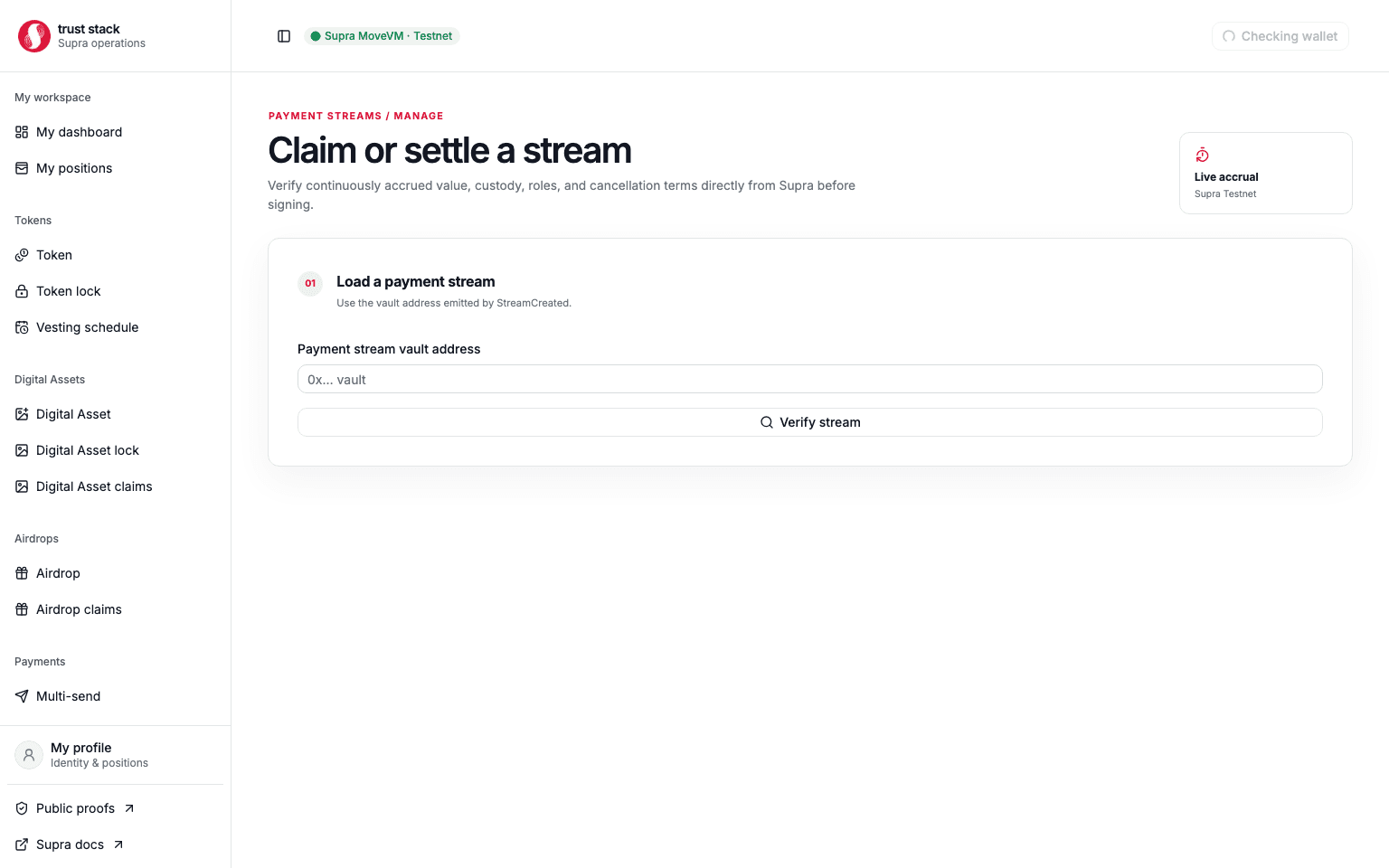
- Open Manage payment stream.
- Enter the stream vault address and load authoritative on-chain state.
- Verify the creator, beneficiary, token, total, schedule, cancellation policy, claimed amount, and current vault balance.
- Connect the beneficiary wallet and review the current claimable amount.
- Sign Claim and wait for the matching event and updated state.
Each claim transfers cumulative accrual minus prior gross claims. Claiming before any value has accrued, from another wallet, or after all earned value has been claimed is rejected.
Cancellation rules
Cancellation is available only when the creator enabled it at creation:
- only the immutable creator can cancel;
- cancellation is terminal and cannot be repeated;
- accrued, unclaimed value remains in the vault for the beneficiary;
- only future, unaccrued value is refunded to the creator;
- a completed stream cannot be canceled; and
- the final beneficiary claim should reduce the accounted vault balance to zero.
A non-cancellable stream has no creator recovery path.
Common problems
- Start time rejected: allow enough future lead time for review and wallet signing.
- Insufficient balance: the complete remaining payroll total is checked again before every row.
- Multiple wallet prompts: each employee stream is an independent transaction.
- Nothing claimable: no new value has accrued since the previous claim or cancellation.
- Cancel unavailable: the stream is non-cancellable, completed, already canceled, or the wrong wallet is connected.
- Uncertain payroll progress: use the recorded hashes and resume flow instead of recreating the whole batch.
Immutable testnet module
Live acceptance covered terminal settlement and creator cancellation followed by the beneficiary's final claim. This is testnet engineering evidence, not mainnet approval or an independent audit.